Choose your reading preference
Select a theme for the best reading experience
The Problem
March 2026 · ~12 min read
Photo management on macOS is bad. Apple Photos wants to own your files and push iCloud. Lightroom is $10/month and primarily an editor. Photo Mechanic is $139 with a dated UI. Finder is Finder.
There's no lightweight, native gallery app for Mac (the equivalent of a phone's gallery) that just works with your folders. And none of them can search by content. You remember a photo of "sunset over mountains" but it's called IMG_4392.jpg.
Searchy started as a weekend project: what if I could search my photos by describing them? CLIP exists. CoreML exists. It should be possible to run this entirely on-device.
420 commits later, it's a full photo manager with semantic search, OCR, face recognition, duplicate detection, and a spotlight-style widget. Still entirely on-device, still free, still open source.
What It Looks Like
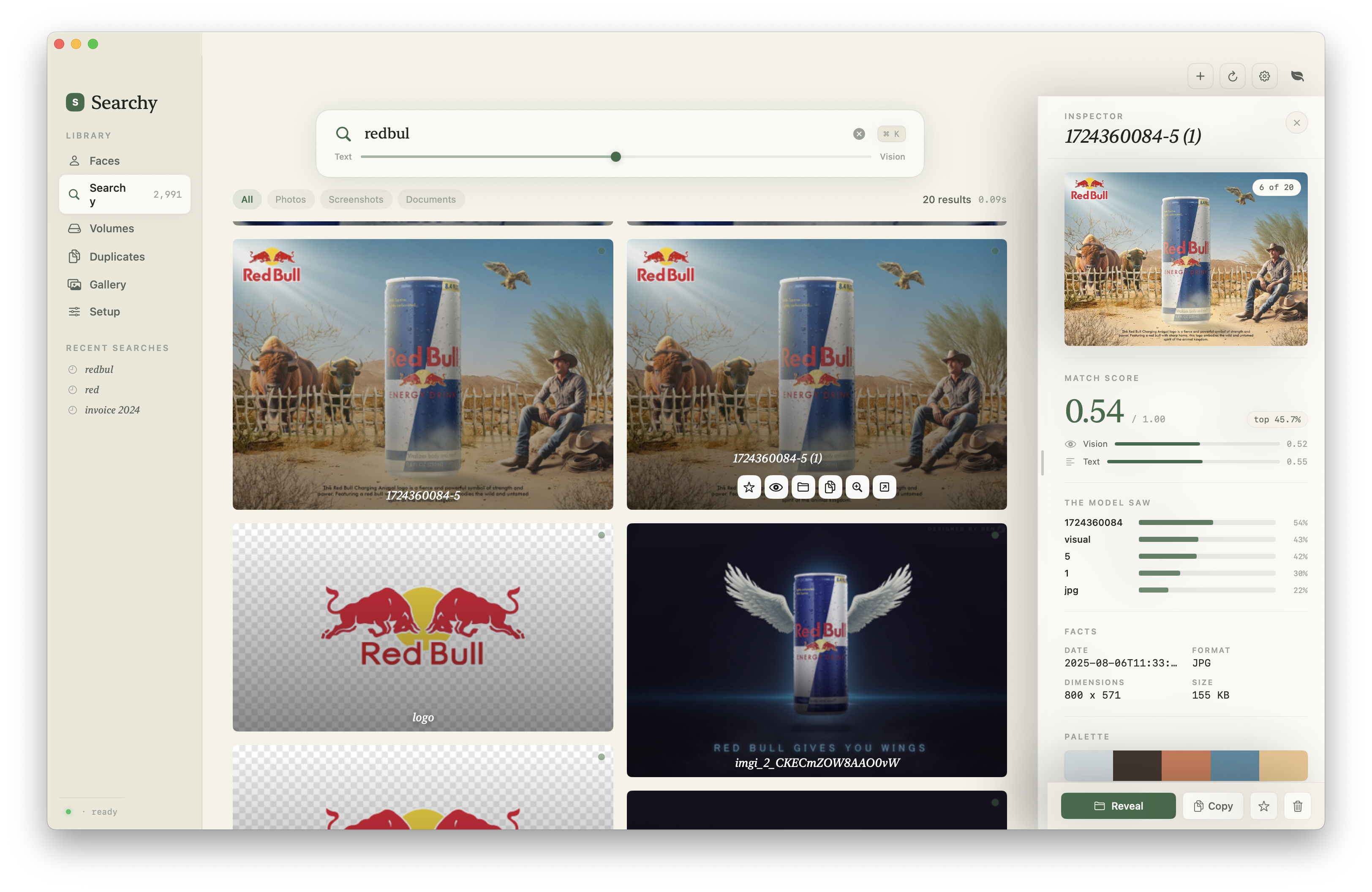
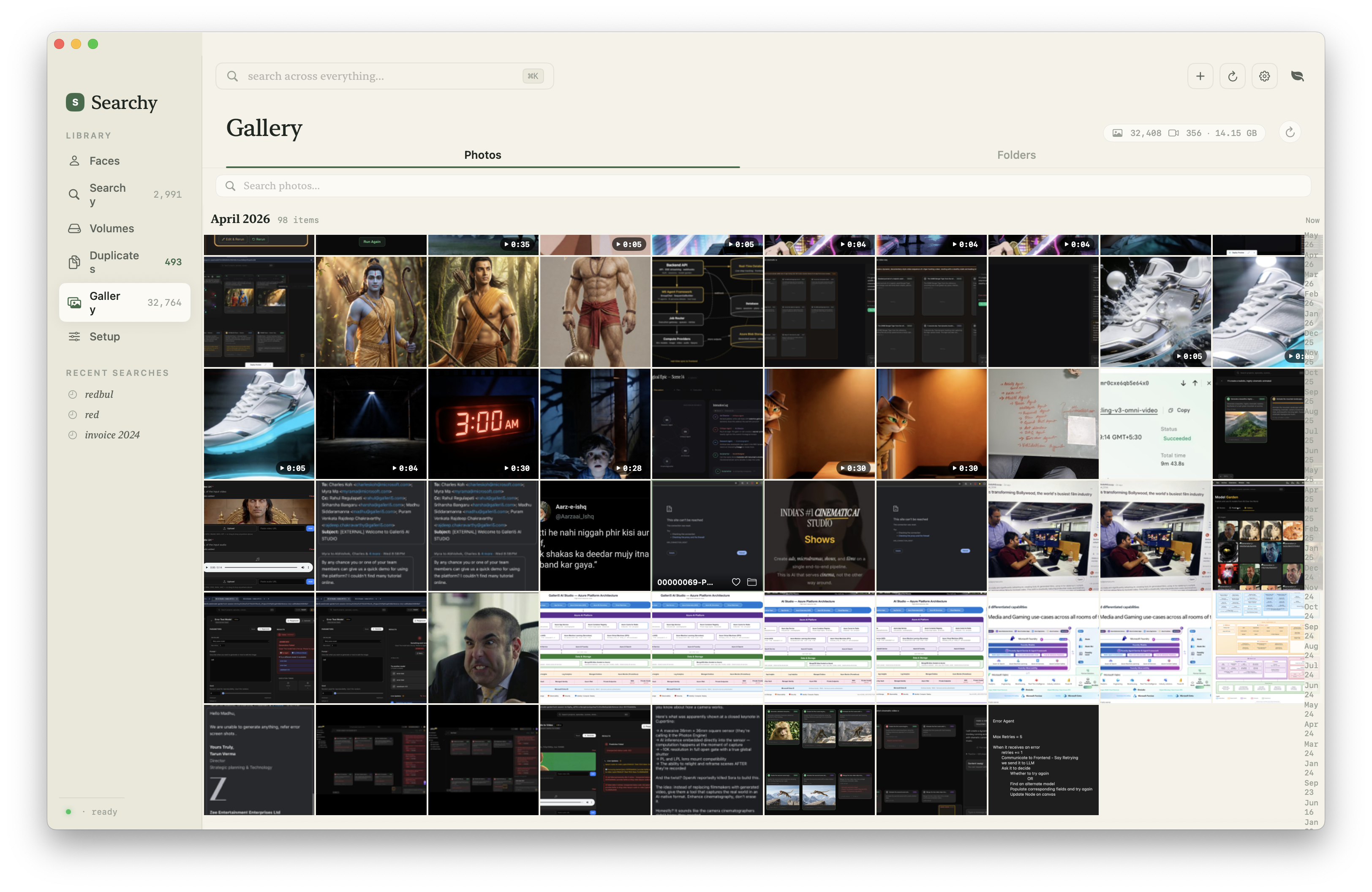
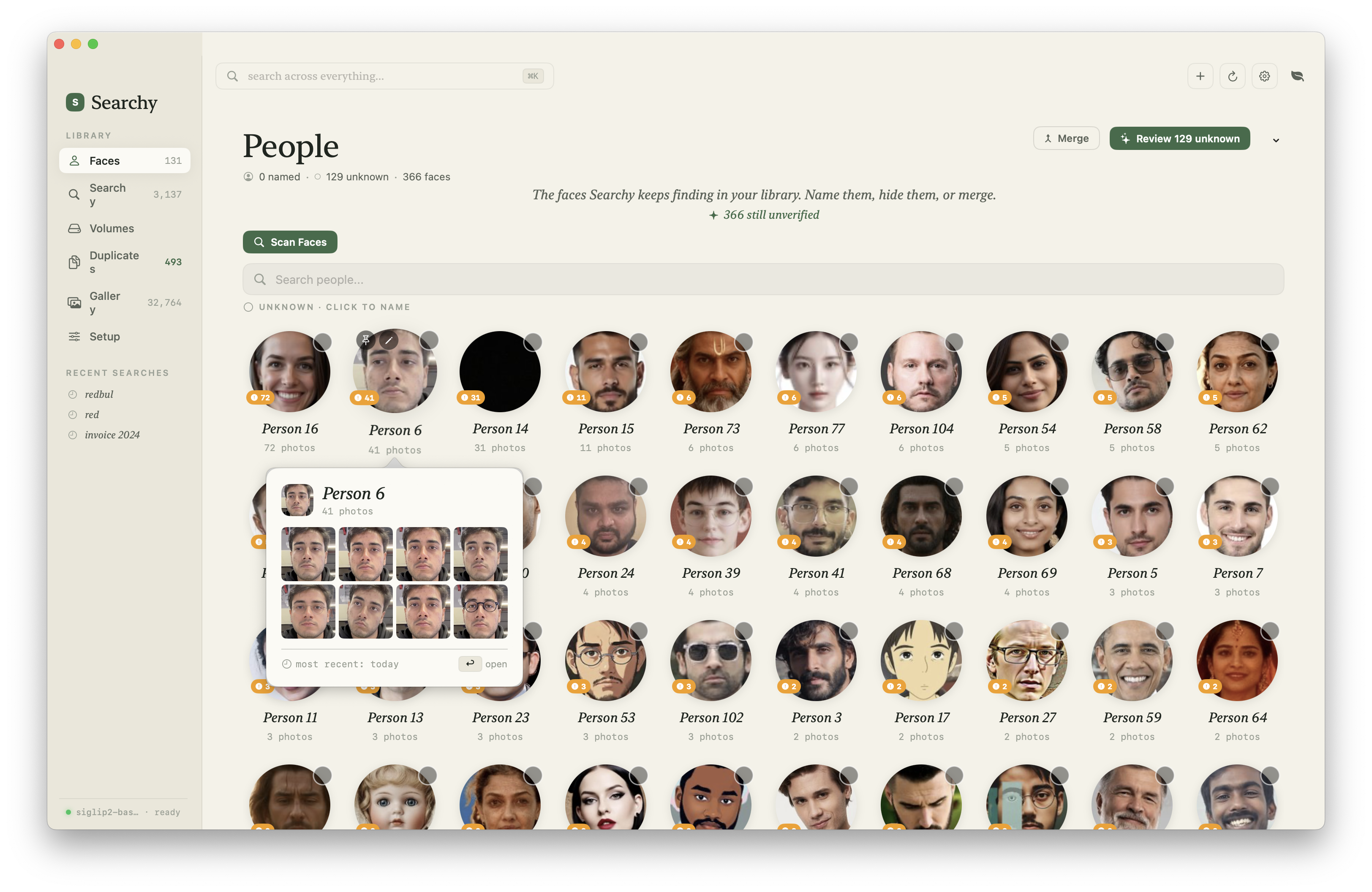
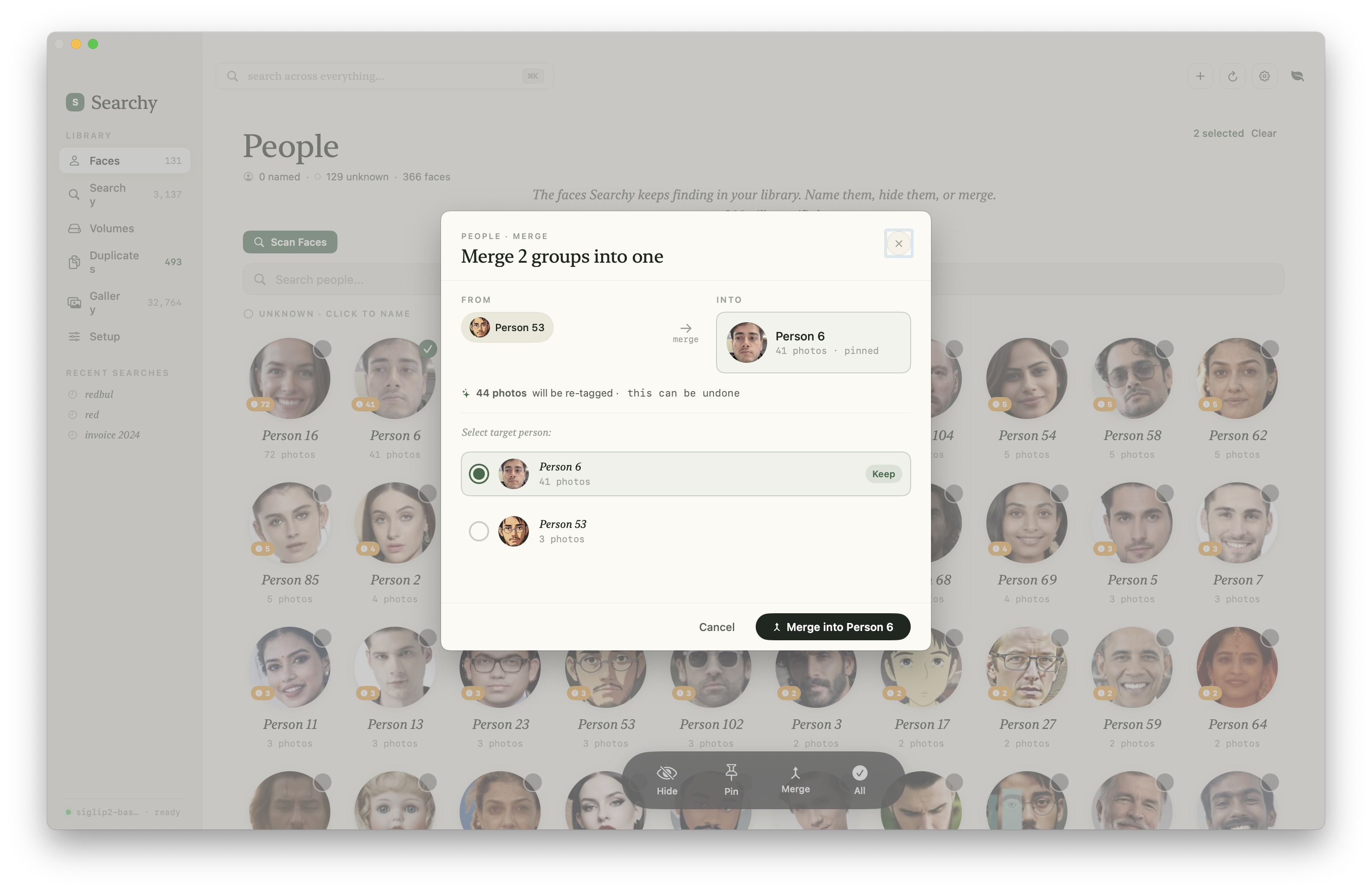
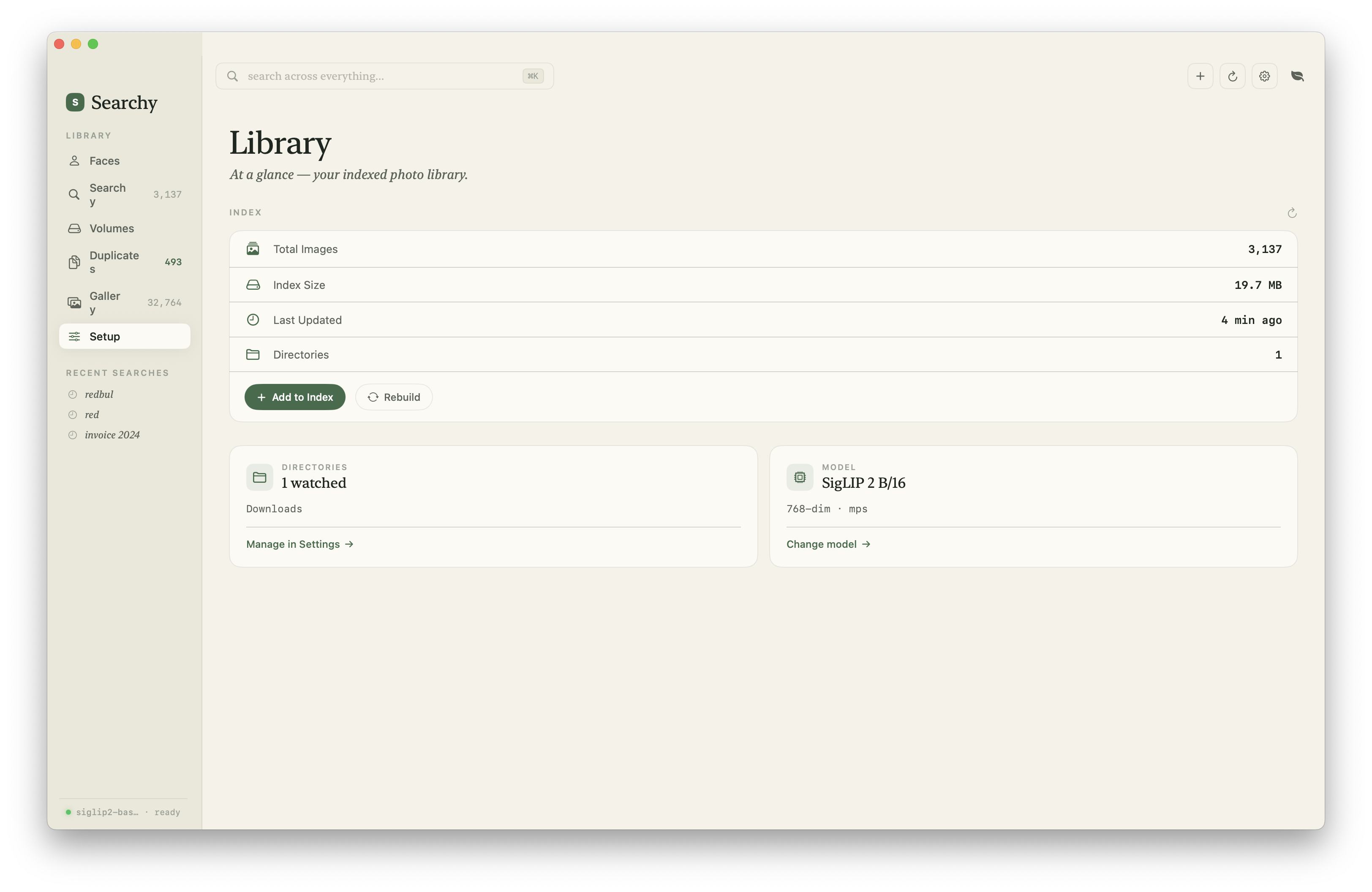
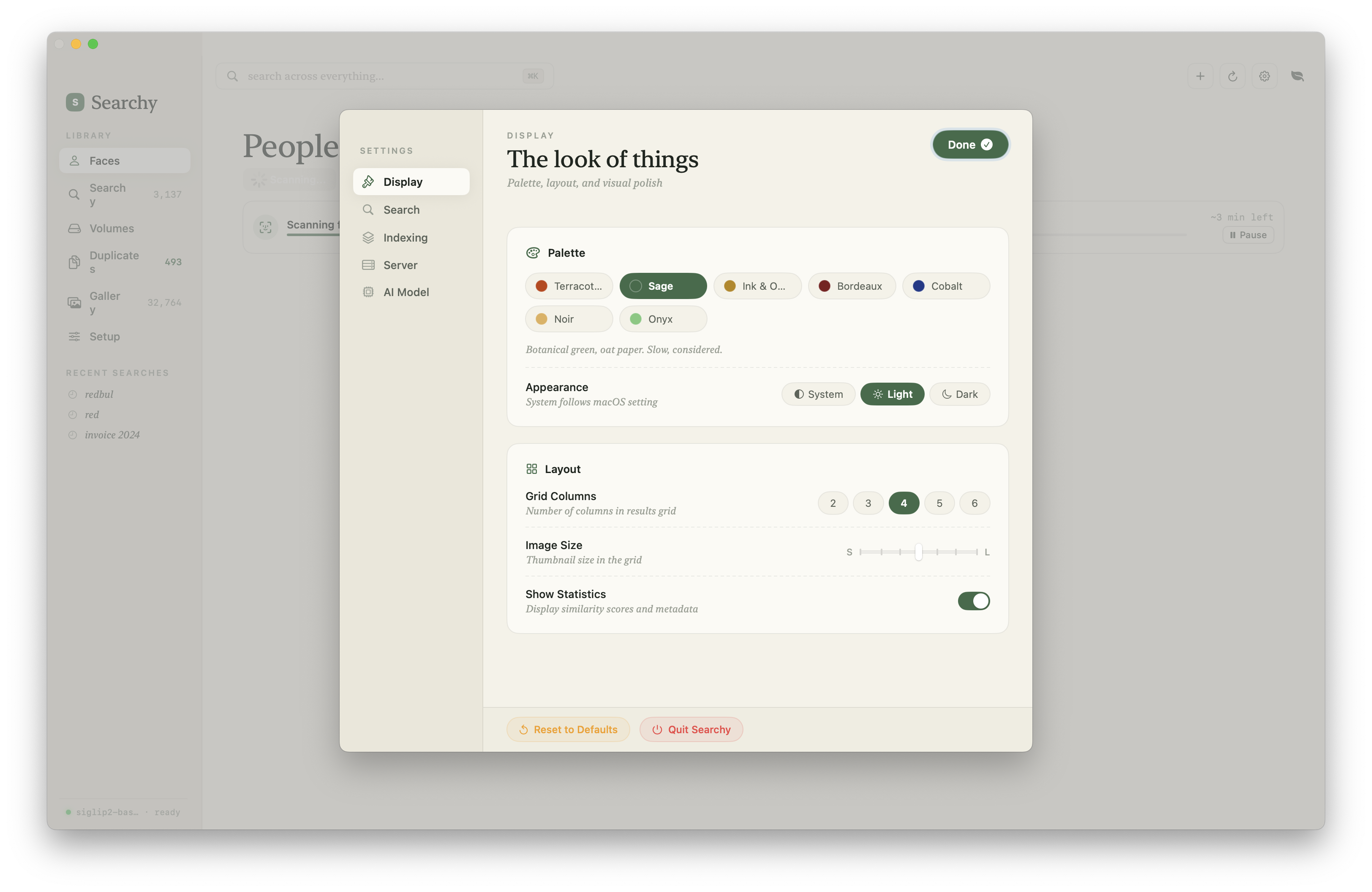
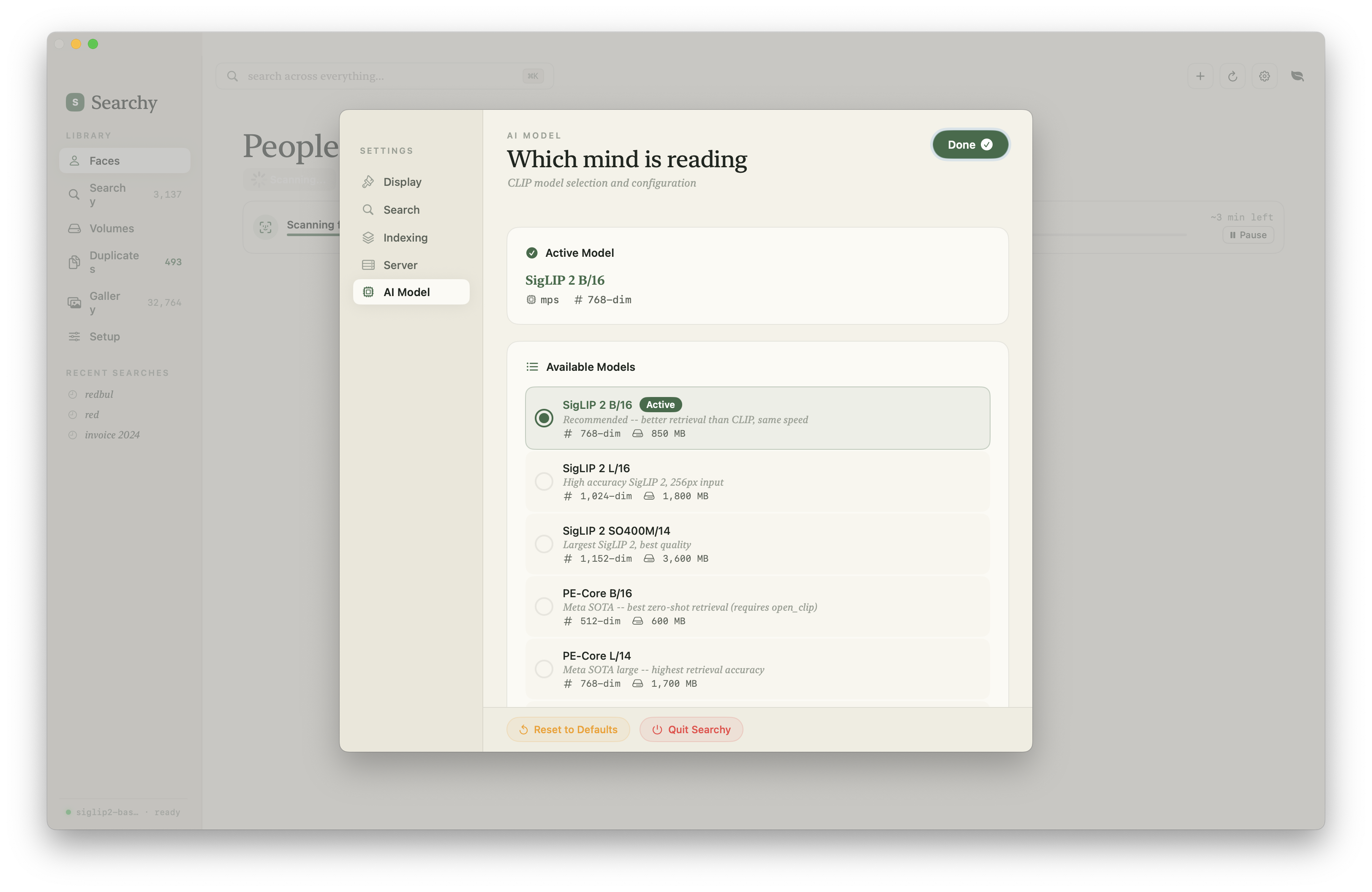
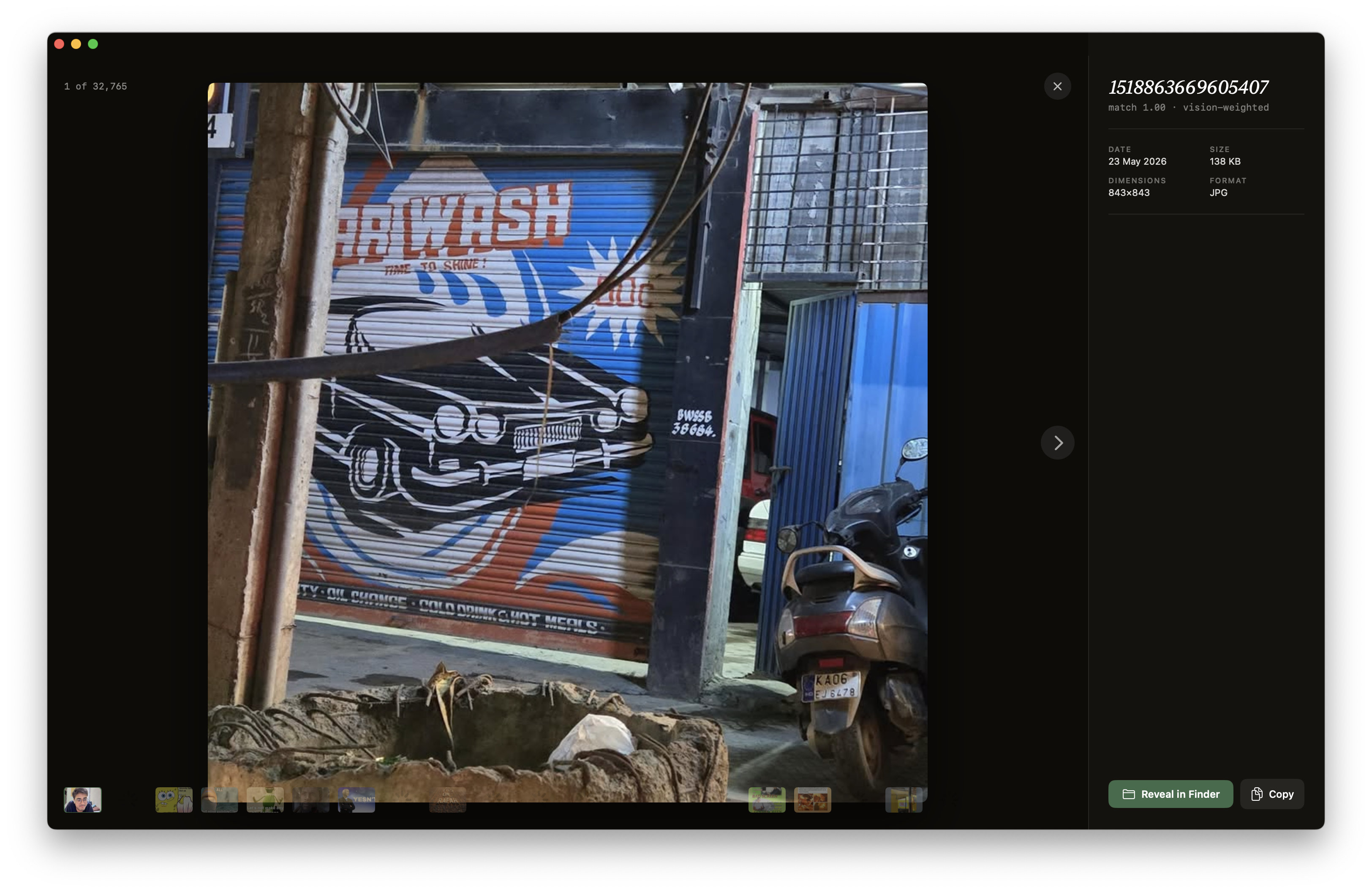
The current app is closer to a native photo manager than a search demo: library indexing, visual search, face clusters, merge tools, display settings, model selection, and an inspector for individual assets.
Architecture
Stack
SwiftUI + AppKit    →  Native macOS frontend
FastAPI + Uvicorn   →  Python backend (localhost:7860)
CLIP ViT-B/32       →  Image/text embeddings (512-dim)
DeepFace (ArcFace)  →  Face detection & recognition
macOS Vision        →  OCR text extraction
NumPy + pickle      →  Embedding storage
searchy/
├── ContentView.swift # SwiftUI interface
├── searchyApp.swift # App lifecycle, setup, server management
├── server.py # FastAPI backend
├── generate_embeddings.py # CLIP model and embedding generation
├── face_recognition_service.py # Face detection & clustering
├── image_watcher.py # File system monitor for auto-indexing
└── requirements.txtWhy SwiftUI + Python
The obvious question: why not write everything in Swift?
CLIP runs on HuggingFace Transformers. The Python ecosystem for ML is decades ahead of Swift's. CoreML can run CLIP, but the preprocessing pipeline (tokenization, image normalization, embedding extraction) is all Python-native. Porting it to Swift would mean reimplementing the Transformers library's CLIP pipeline in a language with no ecosystem for it.
The tradeoff: ship a Python runtime inside a macOS app. This sounds worse than it is. The app bundles its scripts, creates an isolated venv in ~/Library/Application Support/searchy/, and talks to the Python backend over HTTP on localhost. The Swift frontend never touches Python directly. It's just an HTTP client.
Server Lifecycle
The Python backend runs as a child process of the Swift app. This creates a lifecycle problem: the server needs to start before the UI can do anything, and it needs to die when the app dies.
// searchyApp.swift (simplified)
class ServerManager {
    var serverProcess: Process?

    func startServer() {
        let process = Process()
        process.executableURL = pythonPath
        process.arguments = ["server.py", "--port", "\(port)"]
        process.environment = [
            "PYTHONPATH": Bundle.main.resourcePath!
        ]
        process.launch()

        // Poll /health until server is ready
        pollHealth(retries: 30, interval: 1.0)
    }

    func stopServer() {
        serverProcess?.terminate()
    }
}
On launch: start server → poll /health with exponential backoff → show UI when ready. On quit: SIGTERM the process. If the app crashes, the Python process becomes orphaned, but it's bound to localhost, so it's harmless. Next launch detects the port is taken and picks the next one.
Dynamic port binding was a v2 fix. v1 hardcoded port 7860. If you launched two instances or the port was taken, the app silently failed.
Embedding Index
The index is a pickled dictionary. Simple, fast, good enough.
# image_index.bin
{
    'embeddings': np.ndarray,  # Shape: (N, 512), float32, L2-normalized
    'image_paths': list[str]   # Length N, absolute paths
}
Why pickle and not SQLite or FAISS? At the scale this runs (tens of thousands of images, not millions), NumPy cosine similarity on a 512-dim array is sub-100ms. FAISS would add complexity for zero practical gain. The index file is typically 20-50MB.
The tradeoff is pickle's security problem: it can execute arbitrary code on deserialization. If someone replaces your index file with a malicious one, you're compromised. We document this in the security audit as a known limitation.
Search
Semantic Search
CLIP maps images and text into the same 512-dimensional embedding space. An image of a dog on a beach and the text "dog on a beach" end up near each other.
# Search flow
def search(query: str, n_results: int = 10):
    # 1. Encode query text
    text_embedding = clip_model.encode_text(query)  # → (1, 512)
    text_embedding = normalize(text_embedding)

    # 2. Cosine similarity against all indexed images
    similarities = np.dot(index['embeddings'], text_embedding.T).flatten()

    # 3. Return top N
    top_indices = np.argsort(similarities)[::-1][:n_results]
    return [
        {"path": index['image_paths'][i], "similarity": float(similarities[i])}
        for i in top_indices
    ]
That's it. The entire search is a matrix multiplication followed by a sort. On Apple Silicon with Metal acceleration, this runs in ~100ms over 35,000 images.
OCR & Hybrid Search
Semantic search fails on text-heavy images. Screenshots, documents, signs. CLIP sees the visual layout but doesn't reliably read the words. A screenshot containing "invoice 2024" won't rank highly for the query "invoice 2024".
Fix: extract text from every image during indexing using macOS Vision framework (Apple's built-in OCR), and store it alongside the CLIP embedding.
# Hybrid search scoring
def hybrid_search(query, ocr_weight=0.3):
    # Semantic score (CLIP cosine similarity)
    semantic_scores = np.dot(embeddings, text_embedding.T).flatten()

    # Text score (fuzzy match against OCR text)
    text_scores = [
        fuzz_ratio(query.lower(), ocr_text.lower())
        for ocr_text in ocr_texts
    ]

    # Blend
    final_scores = (1 - ocr_weight) * semantic_scores + ocr_weight * text_scores
    return sorted(results, key=lambda r: r.score, reverse=True)
The ocr_weight is user-adjustable. Default 0.3 works well. Semantic dominates, but text matches get a meaningful boost. Pure text search mode is also available for exact matching.
Image-to-Image Search
Instead of text → image, you can drop an image or paste from clipboard. The app encodes the input image through CLIP (same as indexing), then runs cosine similarity against the index. Same pipeline, different input modality.
This also powers duplicate detection: compare every image against every other image and group those above a similarity threshold using Union-Find clustering.
Face Recognition
Two-Phase Pipeline
Face recognition runs in two phases to avoid loading the full ArcFace model for detection.
| Phase | Model | What It Does | Speed |
|---|---|---|---|
| 1. Detection | SSD (OpenCV) | Find face bounding boxes | Fast, single-threaded |
| 2. Embedding | ArcFace (DeepFace) | Generate face embeddings | Batched, 32 faces at a time |
Phase 1 runs SSD face detection across all images, fast, lightweight, just outputs bounding box coordinates. Images that are GIFs, too small, or have no faces get skipped early. Large images are resized before detection.
Phase 2 takes the detected face crops and generates 128-dim embeddings using ArcFace via DeepFace. These run in batches of 32 for throughput.
Clustering & Management
After embedding, faces are clustered by cosine similarity. Faces above a threshold get grouped into the same person.
The UI then lets you:
- Name people: type a name, search by it later
- Pin: important faces stay at the top
- Hide: remove irrelevant faces from the view
- Merge: combine clusters the algorithm split incorrectly
- Verify: swipe interface to confirm/reject individual faces in a cluster
- Albums: create symlink folders for a person's photos
Negative constraints prevent rejected faces from re-clustering into the same person on rescan. Orphaned faces (removed from clusters) are tracked separately.
Hard Problems
Keeping Python Alive in a SwiftUI App
The app needs a running Python server to function. This creates several edge cases:
- Server not ready on launch. UI polls
/healthwith retries before showing search. Early versions showed a blank search bar that silently failed. - Server crashes mid-use. The Swift app monitors the process and attempts restart. Indexed data persists in the pickle file, so no data loss.
- Port conflicts. v1 hardcoded 7860. v2 scans for available ports. If a zombie server is still running, the new instance finds the next port.
- PYTHONPATH. Scripts in the app bundle couldn't find local modules (like
similarity_search) on other machines. Fixed by settingPYTHONPATHtoBundle.main.resourcePathin all Process configurations.
Zero-Config Setup on Arbitrary Macs
Users shouldn't need to install Python manually. But the app needs Python 3.9+ with torch, transformers, deepface, and a dozen other packages.
On first launch, SetupManager runs:
- Find Python: check Homebrew paths, system Python, python.org standalone builds. Look for 3.9+.
- Install if missing: try
brew install python. If no Homebrew, download the standalone Python build. - Create venv: isolated environment in
~/Library/Application Support/searchy/venv/ - Install dependencies:
pip installfrom bundledrequirements.txt. This includes torch (~2GB), so it takes 3-5 minutes. - Verify: import check for critical packages (deepface, transformers, Vision framework bindings)
The setup UI shows a progress view so users know what's happening. After first launch, everything runs offline.
Model Switching Without Re-indexing
CLIP has multiple variants with different embedding dimensions:
| Model | Embedding Dim | Speed | Accuracy |
|---|---|---|---|
| ViT-B/32 | 512 | Fastest | Good |
| ViT-B/16 | 512 | Medium | Better |
| ViT-L/14 | 768 | Slowest | Best |
Switching between models with the same embedding dimension (B/32 ↔ B/16) works without re-indexing. The embeddings are compatible enough for approximate search. Switching to a different dimension (512 → 768) requires a full re-index.
A centralized ModelManager singleton handles loading, switching, and unloading. Thread-safe with locking. Config persists in model_config.json.
Incremental Indexing
Re-indexing 35,000 images every time you add a photo is not an option. The watcher system handles this:
# image_watcher.py
class ImageWatcher:
    def on_created(self, event):
        if is_image(event.src_path):
            # Call server endpoint to index single file
            requests.post(f"http://localhost:{port}/index",
                json={"paths": [event.src_path]})

    def on_deleted(self, event):
        # Server removes from index
        requests.post(f"http://localhost:{port}/cleanup")
File watchers (via watchdog) monitor configured directories. New images get indexed incrementally. The embedding is appended to the existing NumPy array. Deleted images are cleaned up on the next sync.
A startup sync endpoint scans all watched directories for files added while the app was closed. This catches anything the watcher missed.
Early versions loaded the CLIP model inside the watcher process, creating duplicate model instances eating 2GB+ of RAM each. Fixed by routing all indexing through the server endpoint, which uses the singleton model.
Performance
| Operation | Time | Notes |
|---|---|---|
| Search (35k images) | ~100ms | NumPy dot product + sort |
| Index one image | ~50ms | CLIP encode + OCR |
| Batch index (1000 images) | ~45s | With fast mode (resized to 384px) |
| Face scan (1000 images) | ~3min | SSD detection + ArcFace embedding |
| App launch → search ready | ~3s | Server startup + model load |
Thumbnail loading: Early versions loaded full images into memory for the grid view. On a library of 35,000 photos, this consumed gigabytes of RAM. Fixed by creating a ThumbnailService using CGImageSource. It reads only the bytes needed to generate a thumbnail at 2x resolution, with a dedicated cache (500 items max).
GPU acceleration: CLIP runs on Metal (Apple's GPU framework) via MPS backend in PyTorch. Indexing is 3-5x faster than CPU on M-series chips.
Fast indexing mode: Optionally resizes images to 384px before encoding. Marginal accuracy loss, significant speed gain for initial bulk indexing. Configurable via --max-dimension flag.
Security Decisions
We published a full security audit. The short version:
What we hardened:
| Measure | Why |
|---|---|
| CORS restricted to localhost | Prevents malicious websites from querying your image index |
| Server binds to 127.0.0.1 | API not accessible from other machines on the network |
| Dependencies pinned | Reduces supply chain attack surface |
What we deliberately skipped:
| Suggestion | Why We Skipped |
|---|---|
| Encrypt face embeddings | If attacker can read Application Support, they can already read your ~/Pictures. Encrypting the index while originals are unencrypted is security theater. |
| API authentication | Localhost-only. Any process that can call the API can already read the index files directly. |
| Sandbox the app | Would break core functionality (indexing user-selected directories). |
Known risks:
- Pickle deserialization. Index file can execute arbitrary code if tampered with. Evaluating safer formats.
- HuggingFace model loading: no checksum verification on downloaded models.
- No biometric consent. Face recognition runs without explicit opt-in. Legal implications in BIPA jurisdictions.
The Vision
Searchy started as "search photos by describing them." It's becoming the native macOS media manager that doesn't exist.
| App | Problem |
|---|---|
| Apple Photos | Wants to own/import your files, pushes iCloud |
| Lightroom | $10/mo subscription, primarily an editor |
| Photo Mechanic | $139, dated UI, no semantic search |
| Finder | It's Finder |
Design principles:
- Proxy-based. Your files stay exactly where they are. We're a lens, not a file manager.
- Non-destructive. Albums, tags, ratings are metadata in our database. Original files never touched.
- Symlink exports. Want a folder for an album? Symlinks. Delete the album? Originals are safe.
- No lock-in: MIT licensed, open source, all data in standard formats.
Planned: albums, tags, star ratings, smart collections, timeline view, map view (GPS from EXIF), metadata editing, Quick Look integration.
A native macOS photo browser with semantic search built in. No subscription, no cloud lock-in, no importing. Point at your folders and go.